Cactus SVG Design: A Designer’s Real-World Embroidery Review
First Impression: Friendly, Scalable, and Surprisingly Versatile
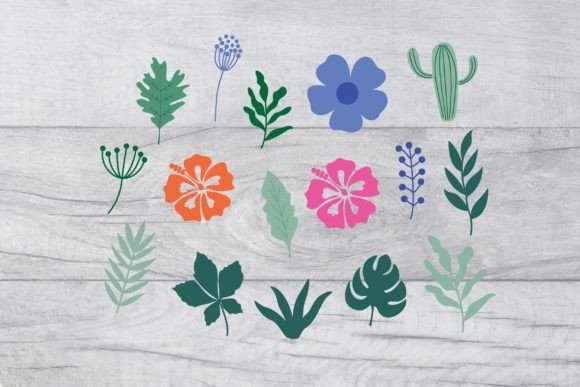
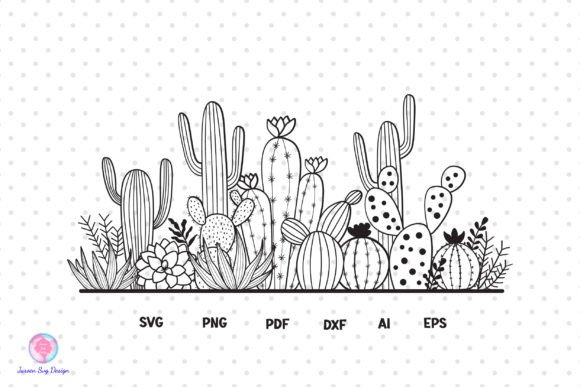
When I opened the Cactus SVG Design, my first thought wasn’t “cute” — it was “workable.” That’s rare. Too many digital cactus motifs lean into over-stylized whimsy: spiky chaos, exaggerated curves, or fussy details that collapse under thread. This one breathes. Clean silhouette. Balanced proportions. A subtle tilt in the main stem suggests life—not rigidity—and the three side arms land with natural asymmetry. It feels like a sketch you’d draw while sipping coffee, not a vectorized stock icon. That matters because embroidery isn’t about perfect geometry—it’s about how shape holds up when translated into stitch.
A Real Project Test: Embroidering a Linen Kitchen Towel for a Local Boutique
Last week, I used the Cactus SVG Design to create a small-batch run of embroidered tea towels for a neighborhood kitchen shop. We chose 100% natural linen—textured, loosely woven, and unforgiving if stitch density isn’t dialed in. I converted the SVG into an embroidery file using my standard workflow (no auto-trace needed—the paths were crisp and closed), then sized it to 3.2” wide—a sweet spot for towel corner placement. What stood out immediately was how well the design scaled down without losing legibility. The “spines” weren’t just lines—they translated cleanly into short satin stitches that read as texture, not clutter. And because the overall shape is open (no dense fill zones), it stitched quickly and lay flat—even on that slightly nubby fabric.
Where It Shines (and Where to Pause)
The Cactus SVG Design works beautifully for:
- Custom apparel: especially on sweatshirts and structured cotton tees—its confident outline reads clearly even at medium sizes (3.5–4.5”).
- Baby embroidery and nursery decor: soft enough for onesies and pillow covers, bold enough to avoid looking washed out.
- Embroidered patches: clean edges mean sharp cutaway or heat-away backing adheres evenly.
- Tote bag design and aprons: scales well to 5”+ without needing reworking—ideal for front-panel branding or playful accents.
- Holiday embroidery and wedding gifts: pair it with neutral thread (sage, terracotta, oat) for earthy, timeless charm—not seasonal gimmicks.
But be thoughtful with:
- Curved surfaces like caps or beanies—test hoop placement first; the slight taper at the base helps, but avoid stretching the design across seams.
- Thin or stretchy fabric (e.g., lightweight jersey): use tear-away + cutaway stabilizer combo—this design has enough internal structure to support it, but won’t forgive poor stabilization.
- Dark fabric: the silhouette-based nature means contrast relies heavily on thread color choice. Avoid pale yellows or creams on navy—go for moss green, charcoal, or warm rust instead.
- Small hoop sizes under 4”: it fits, but trim any excess interior detail manually before digitizing—some versions of this motif include optional flower accents that vanish below 2.8”.
What It Adds to Your Finished Product—Beyond Looks
This isn’t just a shape—it’s a quiet value booster. When customers see this Cactus SVG Design on a handmade tote or personalized baby blanket, they register intention: care in selection, confidence in execution. It doesn’t scream “trend”—it whispers “thoughtful.” That builds trust, especially for Etsy sellers and small shop owners curating cohesive collections. I’ve watched buyers linger longer on listings featuring this design in mockups—not because it’s flashy, but because it feels *resolved*. No visual noise. No awkward spacing. Just balanced, friendly presence.
Practical Notes Every Embroidery Designer Should Check
Before stitching your first piece:
- Test on scrap fabric—especially if using textured or dark material. Watch how satin-spine stitches settle.
- Review stitch density. If your digitizer added heavy fill behind the cactus body, lighten it. This design thrives on openness.
- Confirm hoop size compatibility. While scalable, avoid pushing beyond 6” unless you’re adding custom shadow or ground elements.
- Inspect corners and joins. SVG files can sometimes leave tiny gaps—zoom in before converting to embroidery format.
- Try black-and-white mockups. Does the shape retain personality without color? (It does—another win.)
- Check licensing. The listing says “personal project” use—but verify whether commercial embroidery (e.g., selling finished embroidered items) is permitted. When in doubt, contact the seller.
- Use proper stabilizer. For anything beyond stable cotton, pair tear-away with light cutaway—this design’s clean lines demand stability, not stiffness.
Final Thought: A Reliable Tool, Not a Trend
As a designer who evaluates hundreds of machine embroidery design assets yearly, I measure value by longevity—not virality. The Cactus SVG Design belongs in your core toolkit because it adapts: scale it for a cap, simplify it for a baby onesie, layer it with script for a boutique apron. It’s not trying to be everything. It’s doing one thing very well—offering warmth, clarity, and craft-friendly structure. Whether you’re an Etsy seller building a desert-themed collection, a craft business owner refreshing holiday embroidery, or a hobbyist making personalized gifts, this isn’t filler. It’s foundation.
For Print Templates and Graphics Users
If you work across mediums—say, pairing embroidery with printable mockups or digital product previews—the Cactus SVG Design holds up exceptionally well. Its vector-native clarity means crisp scaling for labels, tags, and social banners. As a Graphics asset, it bridges physical and digital storytelling seamlessly. Just remember: SVG is a starting point. Your embroidery file must reflect fabric behavior—not just screen fidelity.